Loading...

Where Is My Car? Reading the GS10 Location in Plaspy

Check your car’s reported location with the GS10 and learn why the update time matters before interpreting the map or making a decision.

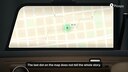
To see where your car last reported, open Plaspy, select its GS10 and check the location together with the date and time of the latest update. The marker represents information received from the tracker. An old report does not establish where the car is right now.

A useful check before making a call

If you have left the car in a parking area or someone else is using it, the map gives you a reference before you call. The installed GS10 sends information over its mobile connection, and Plaspy displays it in your account. Your phone or desktop browser also needs internet access to retrieve that information.

Start by selecting the correct vehicle. The marker provides the update time and the information available from that device; the guide to device information on the map explains those fields. Different trackers do not necessarily supply the same data.

What the report tells you

  • The update is recent: you have a reported position for that time, not a view of the people or events around the car.
  • The update is old: treat it as the last received location and investigate why no newer information has arrived.
  • You need the journey: open the relevant route history; the latest marker does not describe the whole trip.

Illustrative example: you check at 14:20 and the update says 14:00. Twenty minutes separate the two. You can say “the last report placed it there at 14:00”; saying “it is still there” needs further evidence. That distinction matters when arranging a collection or delivery.

Before choosing a tracker for this purpose

When sharing a location, include the update time shown in Plaspy. The person collecting the car can then tell whether it is a recent reference or one that still needs checking.

Check installation, power, a suitable data SIM, mobile coverage and active Plaspy access. Opening the map does not itself make the tracker send a new position, and a location does not guarantee vehicle recovery. To explore phone-based tracking, contact Plaspy about the GS10 package and current terms . Installation is quoted separately, and the advertised Colombian package should not be assumed to apply in other countries.


Home

Ready to get started with Plaspy?

Buy your GPS tracker or subscribe to our satellite tracking platform.
We are currently offline, but don’t worry.
Leave us your contact details and we’ll get back to you as soon as possible via phone or WhatsApp to +57 (601) 580-3299.


How to Check Whether Your Car Left an Agreed Area

Use a geofence in Plaspy to review area exits reported by a GS10. Learn what to configure, what to check and what an alert cannot tell you.

Did Your Car's Ignition Turn On While It Was Parked?

Learn how to check a GS10 ignition alert in Plaspy, compare report times and confirm what happened without treating an alert as proof of theft.

Coordinate Deliveries with GS10 Without Calling for Every Location

Use location, update time and route history to plan the next delivery, while keeping vehicle reports separate from confirmation that a job is done.

How to Review Yesterday’s Car Journey with GS10 and Plaspy

The last marker does not describe the whole trip. Choose a period and interpret locations and stops without treating reports as a continuous recording.

GS10 Speed Alerts: What to Check Before Speaking to the Driver

A speed alert is a report to examine, not the whole story. Check the threshold, time and journey before drawing conclusions about a work car.

GPS customers on other platforms? How to bill them all from one place

Few resellers work with a single tracking platform. Moving everyone is not realistic; unifying the billing is, without moving a single device.

A name and a date: all you need to get your GPS customers to pay on time

Most customers who pay late are not refusing to pay: they forget. Here is how to get paid on time without loading your whole customer list into another tool.

What a motorcycle GPS really costs: the GS1000's three-year math

The kit price is only the start. How the device, SIM, platform, installation and renewal add up, so there are no surprises.

Installation decides half of what your GPS does: what to check on your motorcycle

A good device badly installed does not alert, does not report or comes loose easily. What to ask and test before you take your motorcycle back.

You left your motorcycle at the workshop: what your GPS tells you while you're away

A disconnected battery, an ignition at noon or a test ride: how to read the GS1000's alerts while your motorcycle is being serviced.